oosVersion 1.0
Troubleshooting
OOS troubleshooting
Troubleshooting
An IP Address Is Assigned, but the Internet Is Unreachable
If the Ethernet interface has an IP address but cannot reach the internet:
- Go to
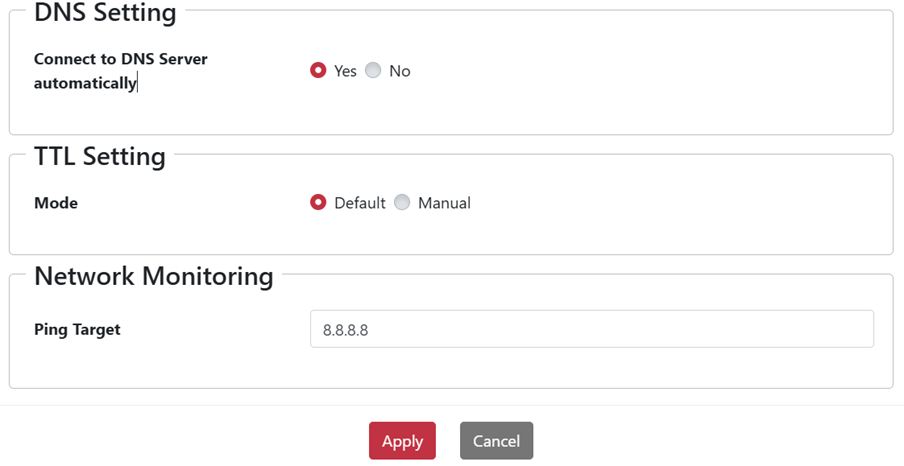
Networking > WAN > Multiple WAN > Interface > Action. - Check whether the Ping Target needs to be changed.
- Set the Ping Target to the Google DNS server at
8.8.8.8.
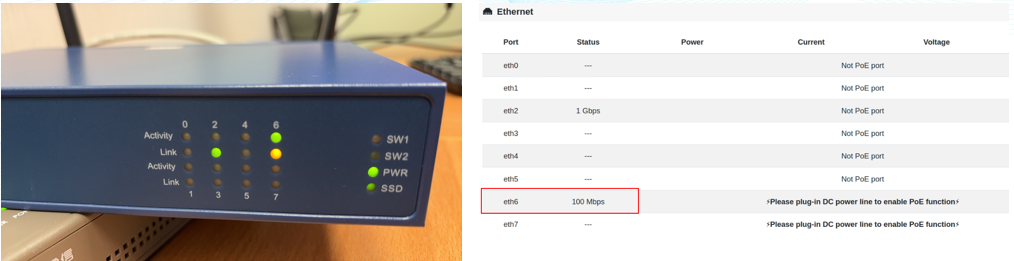
No Link Light After Connecting Ethernet, or the Link Speed Drops
This may be caused by network-interface compatibility between OOS and the other network device. Try the following in order:
- Connect the cable to a different port on the network device.
- Place a hub or switch between OOS and the network device.