oosVersion 2.1
Alert
Alert
Alert Settings
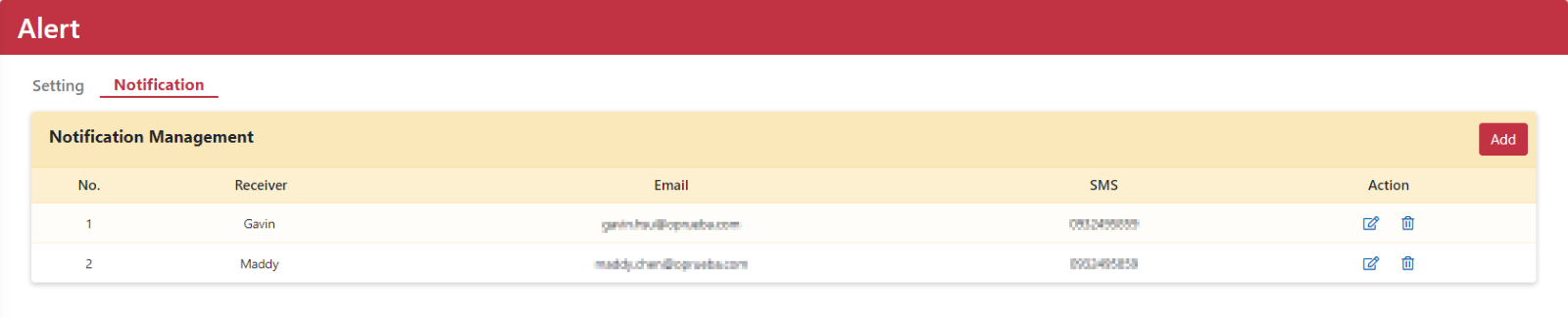
On the Alert page, you can choose which events generate notifications and configure notifications by email or SMS.
Email Settings
Configure the email delivery settings used by OOS.
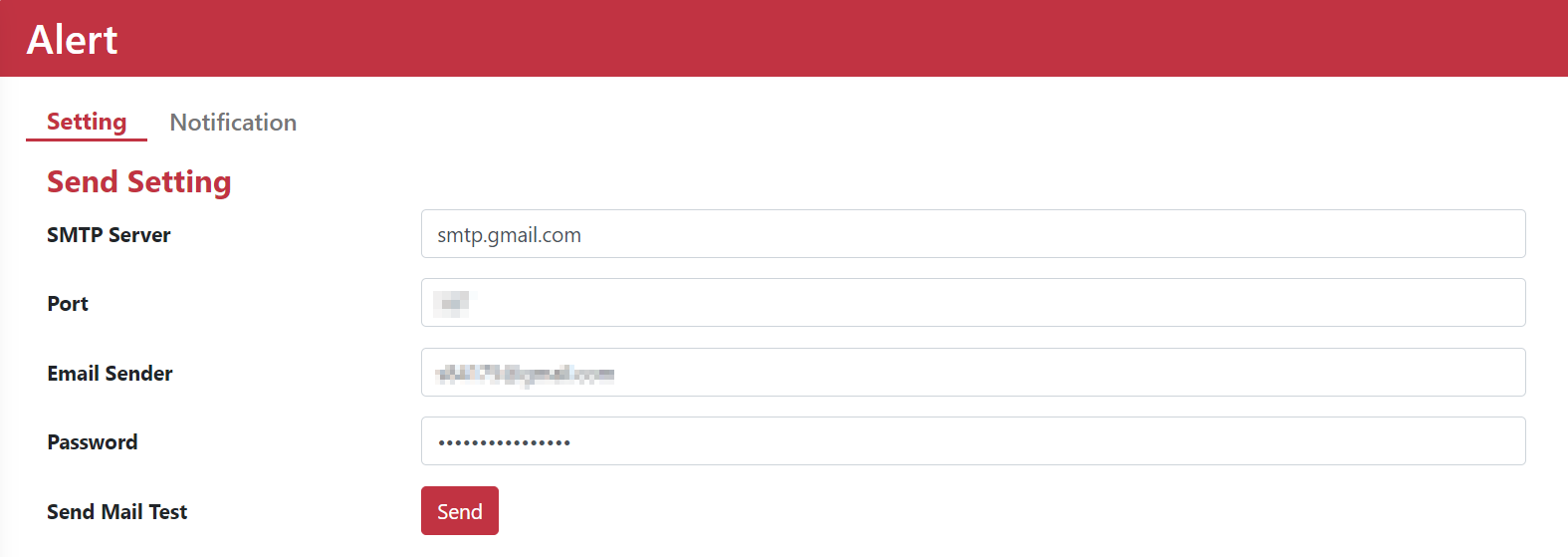
| Name | Description |
|---|---|
| SMTP server | Enter the SMTP server address. Obtain this information from your email service provider, system administrator, or IT department. |
| Port | Enter the SMTP server port. |
| Email Sender | Enter the mailbox address that OOS uses to send email. |
| Password | Enter the password used to authenticate with the SMTP server. |
| Send Mail Test | Send a test email. |
!NOTE SMTP server settings vary by email client and service provider. Refer to the documentation or support resources supplied by your provider for the required values.
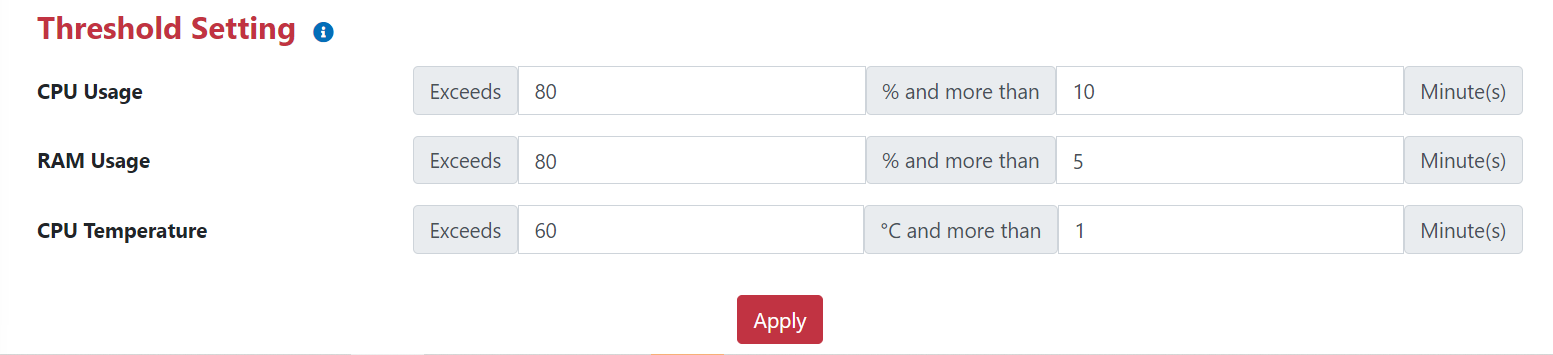
Threshold Settings
Set threshold values for CPU usage, memory usage, and CPU temperature. OOS sends a notification automatically when a configured threshold is exceeded.
Notifications
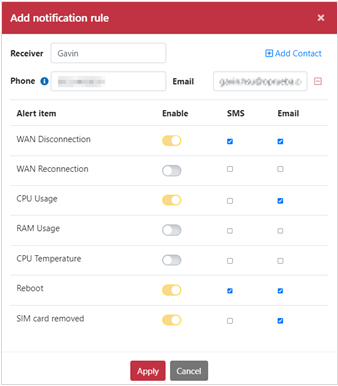
Choose whether to receive notifications by email or SMS, then select the events you want to monitor:
- WAN disconnected
- WAN reconnected
- CPU usage
- Memory usage
- CPU temperature
- System reboot
- SIM card removed