oos-controllerVersion 1.2
Backup
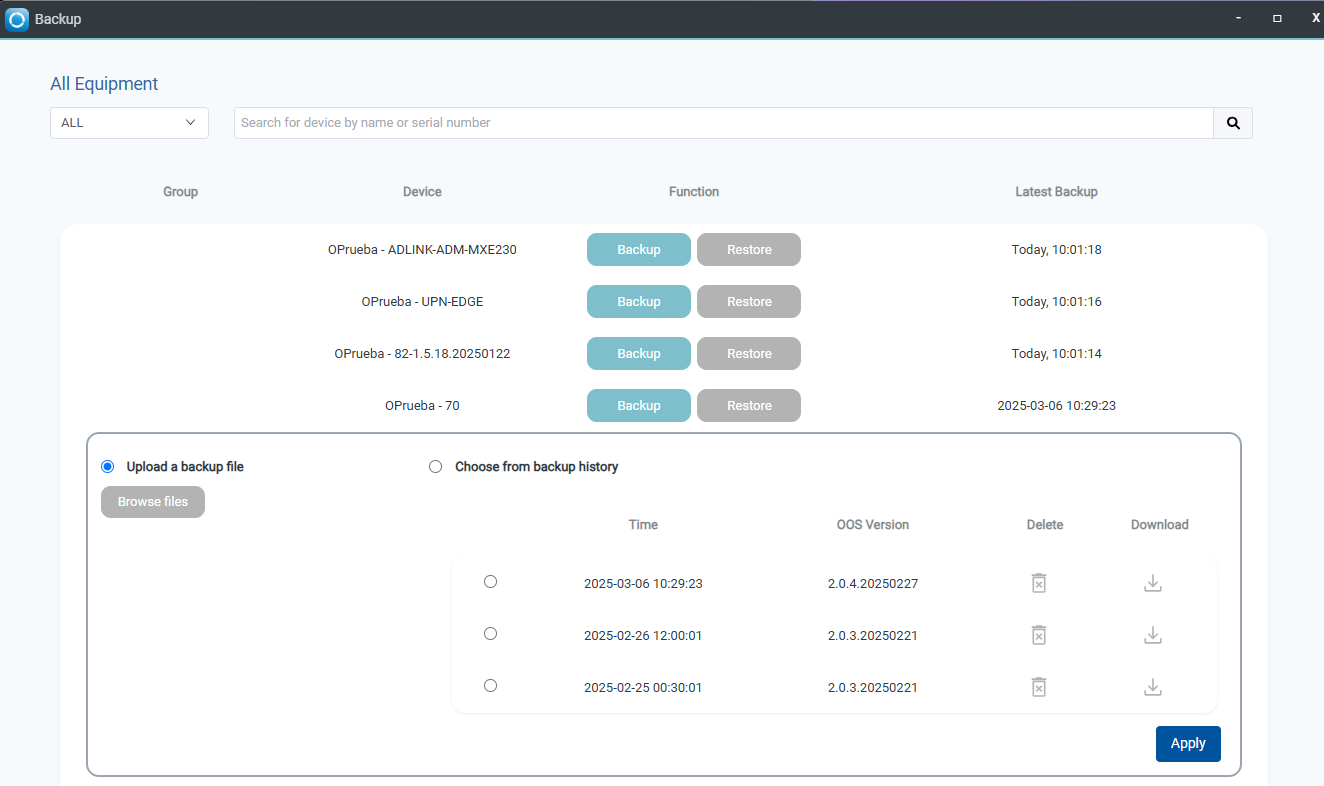
Backup allows manual backing up of OOS configurations, preserving up to three backup files, and restoring from existing or uploaded backups.
Manually back up the OOS configuration. The OOS Controller records up to three backup files. The Restore button allows you to choose a backup file from saved backup configurations or upload a backup file to restore.
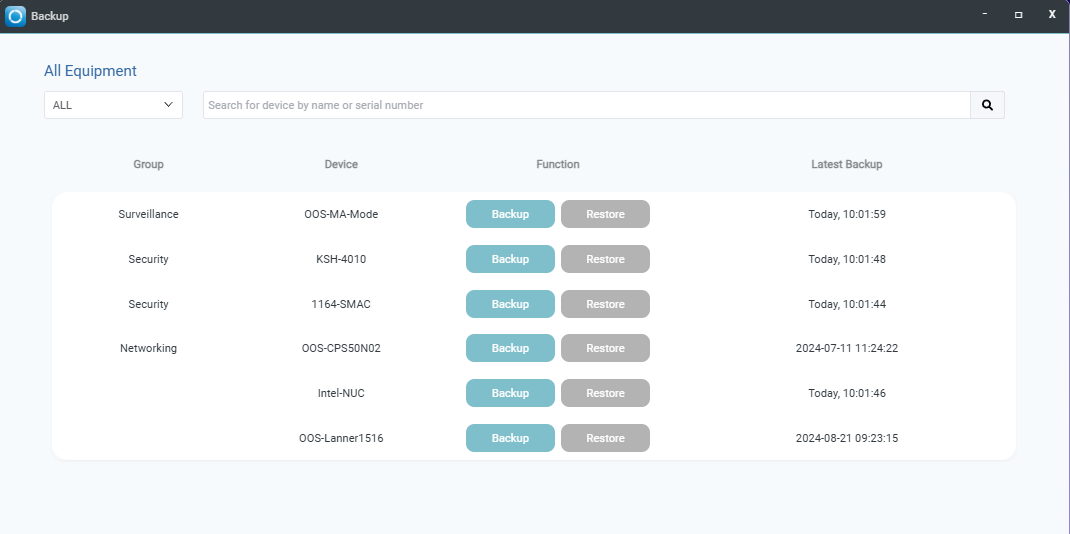
It provides three backup version records, allowing you to select which version to restore.